Mastering First Person Boxing Mobile Controls on Roblox
Learn how to optimize first person boxing mobile controls in Roblox. Get pro tips, style spin strategies, and dominate the virtual ring today.
Published: First Person Boxing Wiki Editorial Team
Table of Contents
Introduction to Mobile Combat in the Ring
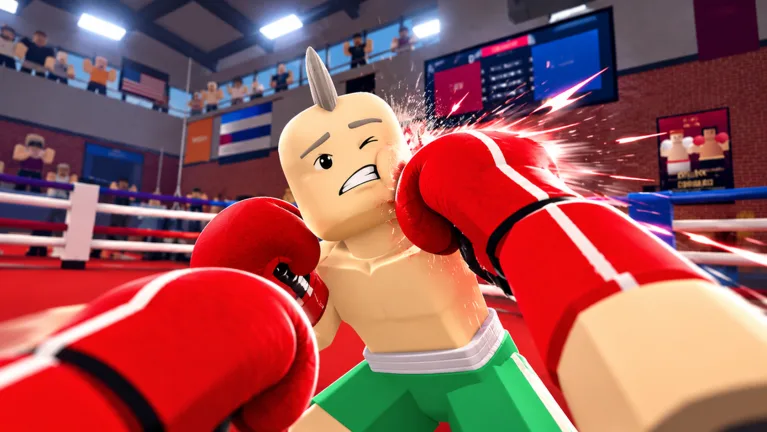
Stepping into the virtual squared circle requires precision, stamina management, and lightning-fast reflexes, especially when mastering first person boxing mobile controls. Whether you are trying to dodge a devastating hook or land a rapid-fire jab, understanding how to configure and execute actions on a touchscreen can make the difference between becoming a champion and hitting the canvas. According to player experience shared in the Roblox community, learning the layout of first person boxing mobile controls early saves you from wasted punches and early stamina drain against seasoned opponents.
Why does this matter so much? In a game developed by Can You Box? where every frame and punch angle counts, mobile players face unique interface challenges compared to PC users. Without a physical keyboard, your thumbs must handle movement, guards, and attacks simultaneously. Fortunately, with the right approach to interface familiarity, stamina awareness, and style management, you can turn your mobile device into a lethal weapon.
Understanding the Layout of First Person Boxing Mobile Controls
When you first launch the game on your smartphone or tablet, the screen can feel crowded with interactive buttons. Knowing what each UI element does is the first step toward mastering first person boxing mobile controls.
Movement Control: Located on the left side of your screen, use your left thumb to maneuver your fighter around the ring, closing the distance or backing away from danger.
Punch Inputs: On-screen buttons on the right side handle your offence. The reported punch options are the same ones PC players use with the mouse and keyboard: hold click to extend straight punches, X for the overhand, and lower aim for body shots.
Guard and Lock-On: The reported guard input covers your head and torso, while lock-on keeps the camera centred on one opponent. Keep an eye on your stamina meter while you hold a guard.
To give you a clearer picture of how desktop setups compare to mobile layouts, review the breakdown below:
Control Aspect
PC / Keyboard Setup
Mobile Touchscreen Setup
Movement
WASD Keys
Virtual thumbstick on the left
Punching
Hold Click for straights, X for the overhand
On-screen punch controls
Guarding
F Key
On-screen guard control
Lock-On
Q Key
On-screen control
Menus
K for customization, G for gloves, B for the shop, H for the full key list
On-screen buttons, including the Shop button on the left
Managing Stamina and Punch Timing on Touchscreens
One of the biggest hurdles players face when utilizing first person boxing mobile controls is managing fatigue. Throwing continuous punches without a break will drain your stamina bar, leaving your fighter slow and vulnerable to counter-attacks.
According to player experience shared within the Roblox community, tapping wildly on mobile screens usually drains your stamina pool within seconds of the opening bell. Instead, you should focus on rhythm and controlled bursts. Watch your energy meter carefully; when it runs low, back off, use your movement control to create space, and let your stamina recover before launching another combination.
Tip
Never spam your attack buttons on mobile. Deliberate, two-punch combinations followed by a quick retreat will preserve your stamina and keep your opponent guessing.
Unlocking and Testing Better Styles Using Promo Codes
Your choice of fighting style heavily dictates how your first person boxing mobile controls will feel in actual combat. Reported styles change how your fighter covers up and moves, and the creator has named Peekaboo (called the best style) and Philly Shell. To secure better styles without grinding for hours, you can redeem active promo codes directly through the in-game shop menu.
The table below outlines the reported codes that reward free spins:
Promo Code
Reward
Purpose
LUCK1
5 Style Spins
Grants five rolls in the styles menu to test new styles
UPPERCUT
1 Lucky Spin
Adds a single Lucky Spin to your styles menu total
FPSBOXING2
3 Style Spins + 1,000 Coins
Extra rolls plus coins toward further spins
To redeem these, open the Shop with B on PC or the Shop button on the left of the screen, locate the code redemption box, paste your code, and press Redeem. Older lists also mention FPSBOXING1 (3 Style Spins), but reports conflict about whether it has expired. If a code fails, double-check your spelling or copy it directly from a verified source list.
Pro Tips for Competitive Mobile Play
If you want to rise through the ranks and dominate other players, you need to adapt advanced tactics specifically tailored for touchscreen devices.
Customize your hud reach: Ensure your thumbs rest naturally over the movement control and action buttons without straining.
Master the slip mechanic: Reported head movement (Space + WASD on PC) is what takes your head off the centre line, so pair movement with your guard instead of standing still.
Stay on the official page: The Roblox Game Page is where updates and community links are posted, and balance changes can alter how your controls feel on mobile.
Frequently Asked Questions
Can I use a Bluetooth controller for First Person Boxing mobile controls?
Yes, many mobile devices support external controllers on Roblox, which can improve your reaction time compared to standard touchscreens. Touch controls remain available either way.
How do I redeem codes for style spins?
Open the Shop menu with the Shop button on the left of the screen, find the code entry box, and paste reported codes like LUCK1 (5 Style Spins) or UPPERCUT (1 Lucky Spin) to claim your spins.
Why does my fighter move slowly during matches?
Slow movement is usually a sign of depleted stamina. Manage your offensive output carefully and avoid spamming punches to keep your mobility high.